Sols Files






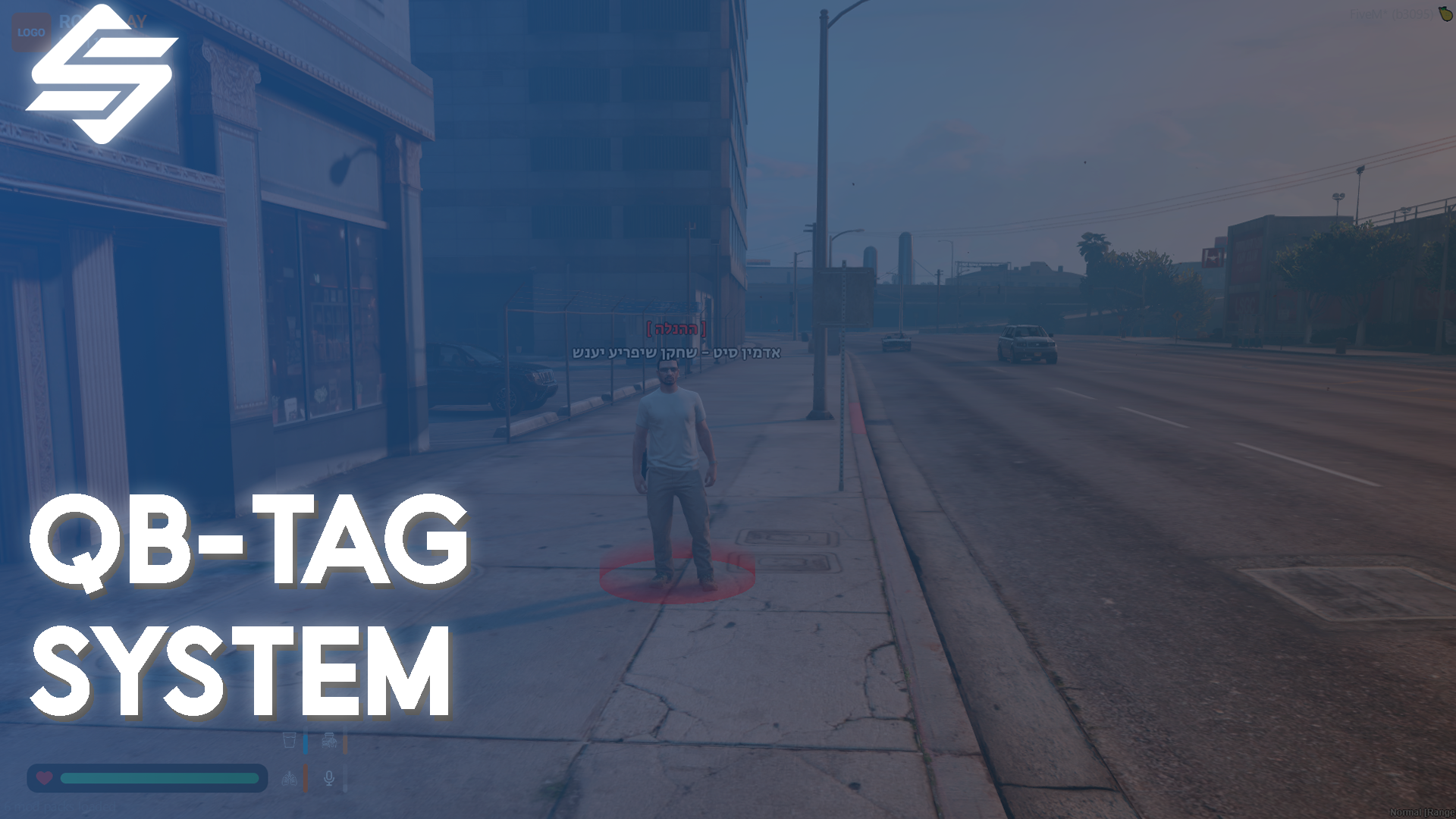
Elevate your staff team's presence with our Advanced Dynamic Admin Tag System for QBCore! This highly optimized, standalone script provides a visually stunning way for your server administrators, moderators, and support team to stand out in the city.
With zero impact on server performance, this script ensures your staff members are easily recognizable through highly customizable 3D text and dynamic glowing floor markers. Fully optimized for right-to-left languages like Hebrew, as well as English or any other language out of the box!
**Role-Based Dynamic Tags = **Assign unique 3D text, titles, and colors based on the staff member's exact permission group (e.g., God, Admin, Mod).
Stunning Visuals & Outlines: Features high-quality 3D text with built-in drop shadows and text outlines, ensuring tags are perfectly readable against the bright sky or during the night.
Glowing Floor Markers: Includes a beautiful, configurable glowing aura/marker directly beneath the admin to make them easily distinguishable in large crowds.
Command Toggle: Staff members can easily toggle their admin tag on and off using a simple chat command (default: /tag).
Native Multi-Language Support: Flawlessly supports any language, including full reverse-text formatting suitable for Hebrew and Arabic natively, without requiring external dependencies!
Highly Configurable: Everything from text scale, render distance, RGB colors, marker sizes, and allowed permission groups can be edited easily within
config.lua.
Optimized Performance: Written with resource usage in mind. 0.00ms on idle, and highly optimized loops when tags are actively drawn.
You have complete control over every single rank!
lua
Config.Tags = {
['god'] = {
Text = "~r~[ Management ]~w~\nAdmin On Duty - Do not disturb",
MarkerColor = { r = 255, g = 0, b = 0, a = 120 }
},
['admin'] = {
Text = "~b~[ Admin Team ]~w~\nAdmin On Duty - Do not disturb",
MarkerColor = { r = 0, g = 150, b = 255, a = 120 }
}
}
Bring a premium feel to your server's staff team today!
Tags: QBCORE
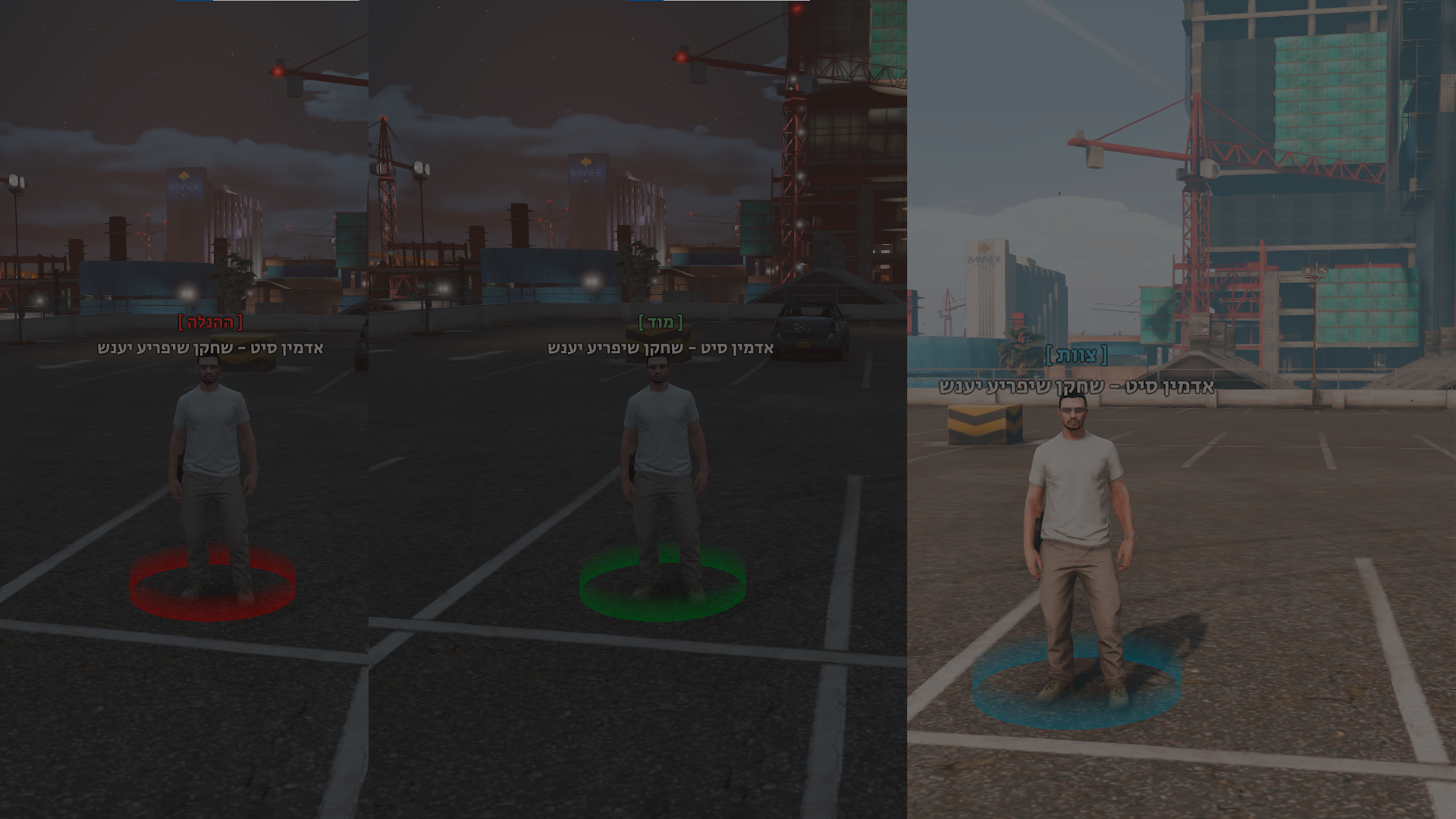


Elevate your staff team's presence with our Advanced Dynamic Admin Tag System for QBCore! This highly optimized, standalone script provides a visually stunning way for your server administrators, moderators, and support team to stand out in the city.
With zero impact on server performance, this script ensures your staff members are easily recognizable through highly customizable 3D text and dynamic glowing floor markers. Fully optimized for right-to-left languages like Hebrew, as well as English or any other language out of the box!
**Role-Based Dynamic Tags = **Assign unique 3D text, titles, and colors based on the staff member's exact permission group (e.g., God, Admin, Mod).
Stunning Visuals & Outlines: Features high-quality 3D text with built-in drop shadows and text outlines, ensuring tags are perfectly readable against the bright sky or during the night.
Glowing Floor Markers: Includes a beautiful, configurable glowing aura/marker directly beneath the admin to make them easily distinguishable in large crowds.
Command Toggle: Staff members can easily toggle their admin tag on and off using a simple chat command (default: /tag).
Native Multi-Language Support: Flawlessly supports any language, including full reverse-text formatting suitable for Hebrew and Arabic natively, without requiring external dependencies!
Highly Configurable: Everything from text scale, render distance, RGB colors, marker sizes, and allowed permission groups can be edited easily within
config.lua.
Optimized Performance: Written with resource usage in mind. 0.00ms on idle, and highly optimized loops when tags are actively drawn.
You have complete control over every single rank!
lua
Config.Tags = {
['god'] = {
Text = "~r~[ Management ]~w~\nAdmin On Duty - Do not disturb",
MarkerColor = { r = 255, g = 0, b = 0, a = 120 }
},
['admin'] = {
Text = "~b~[ Admin Team ]~w~\nAdmin On Duty - Do not disturb",
MarkerColor = { r = 0, g = 150, b = 255, a = 120 }
}
}
Bring a premium feel to your server's staff team today!
Tags: QBCORE
You have no favourites yet.
Loading purchases...
No purchases found for this period.