Sols Files





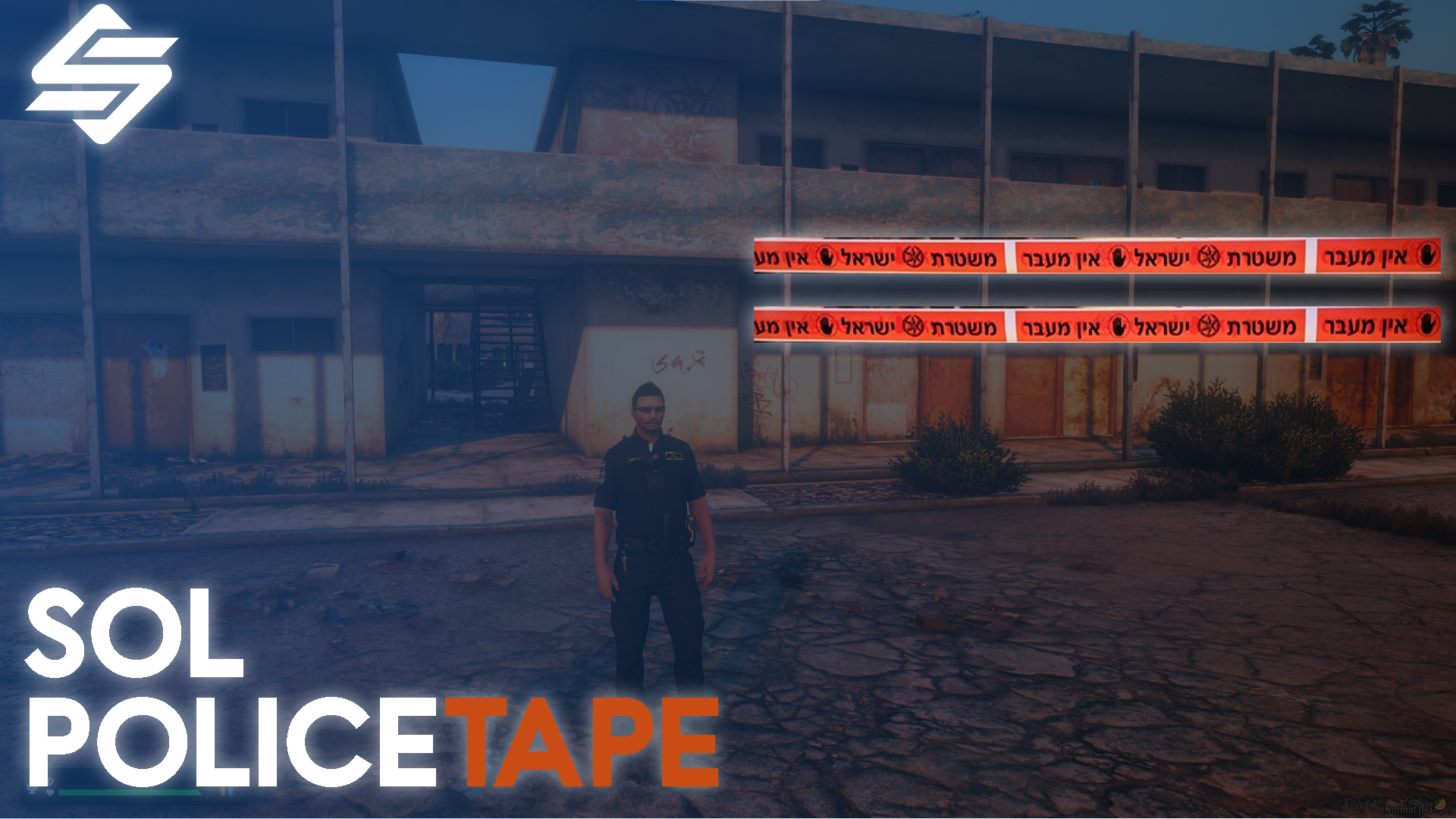
sol-PoliceTape 🚨
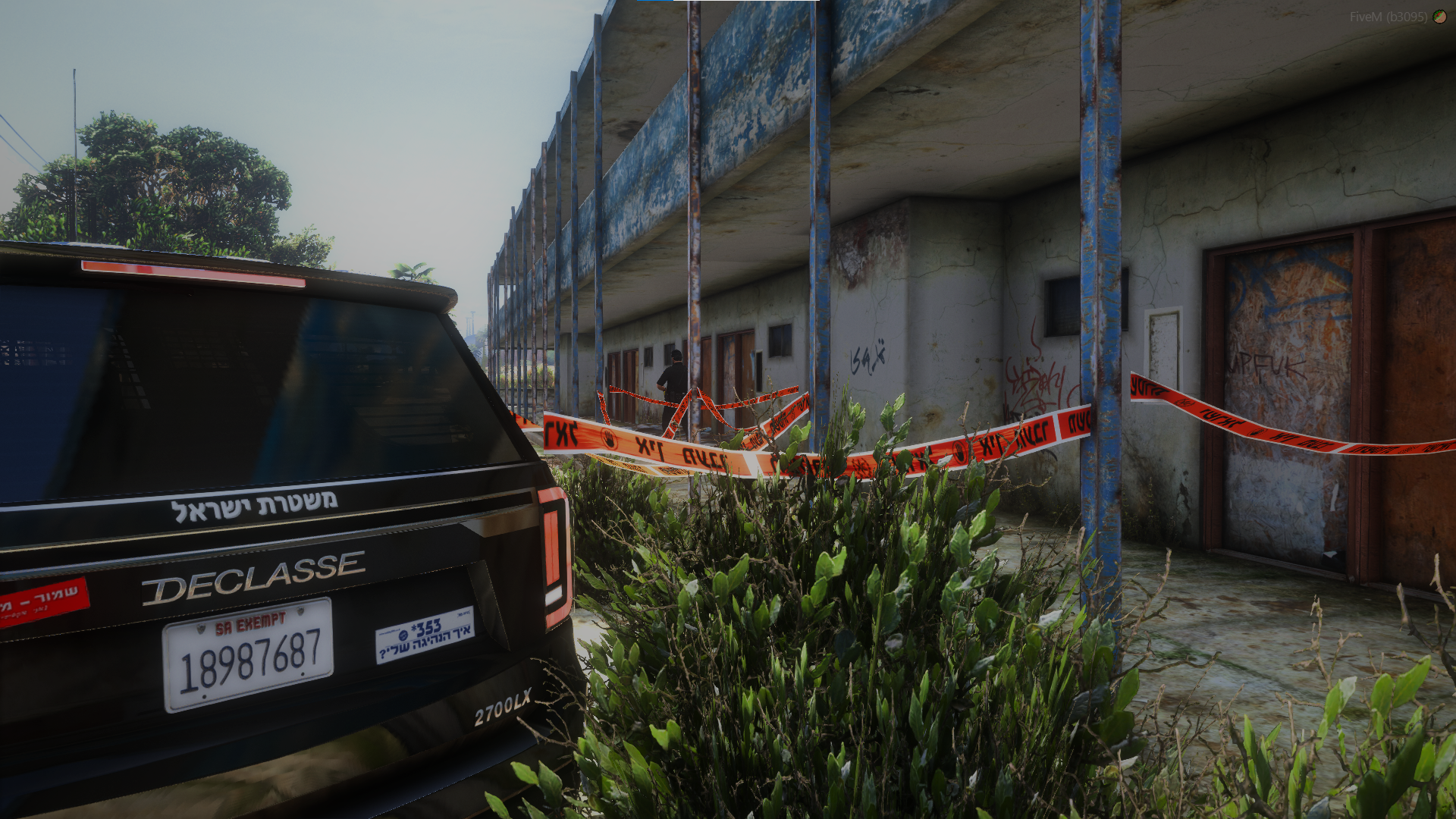
We're excited to present sol-PoliceTape, a professional and immersive police tape placement system designed specifically for FiveM Roleplay servers.
Due to the growing demand for a high-quality police tape script — and the lack of a truly flexible, surface-aware placement system — we decided to build our own solution completely from scratch and release it to the community.
This script was developed entirely by sol. Throughout development, we focused on delivering precise placement mechanics, a smooth user experience, and a clean custom UI with zero external dependencies.
✨ Script Features
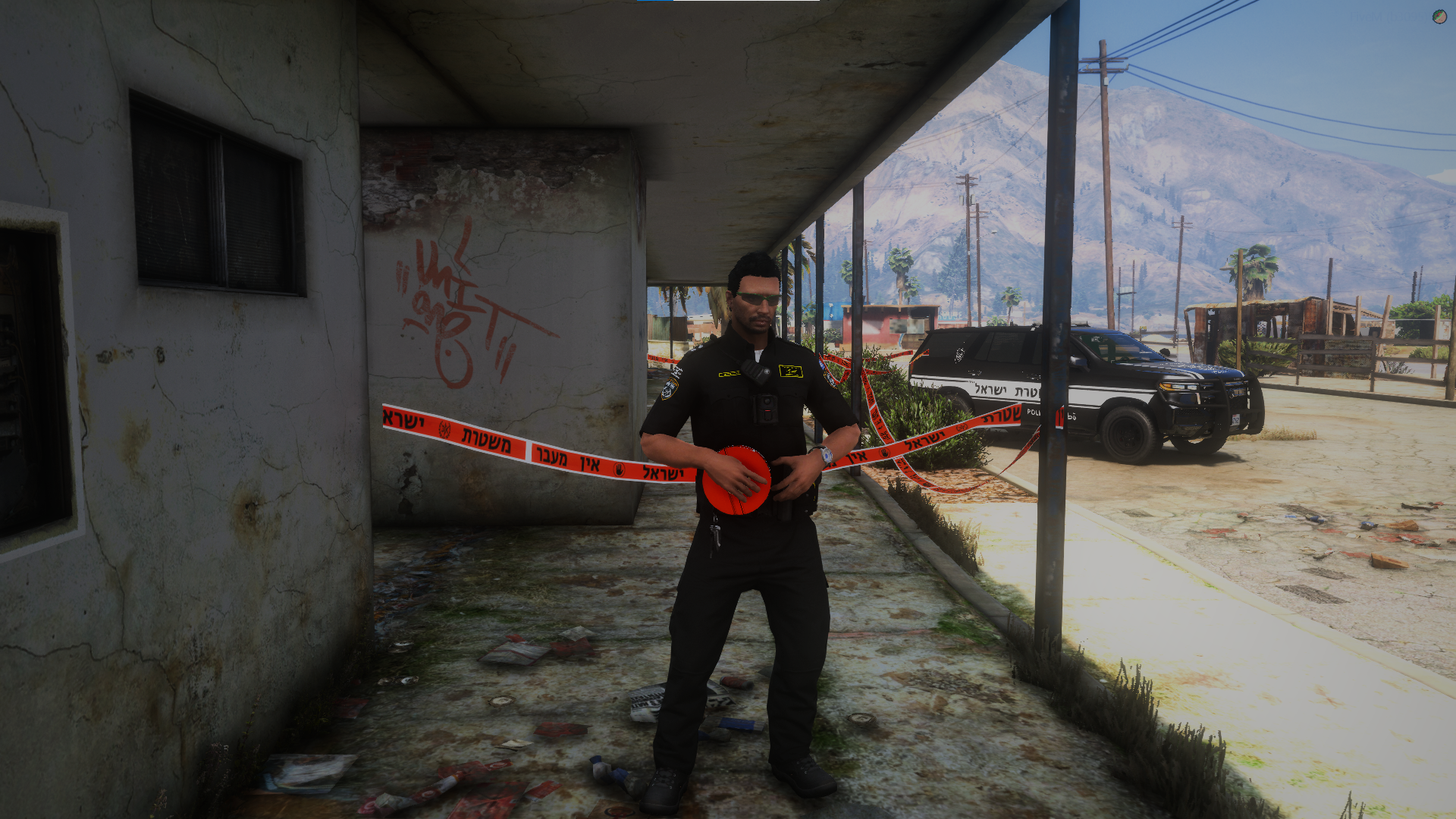
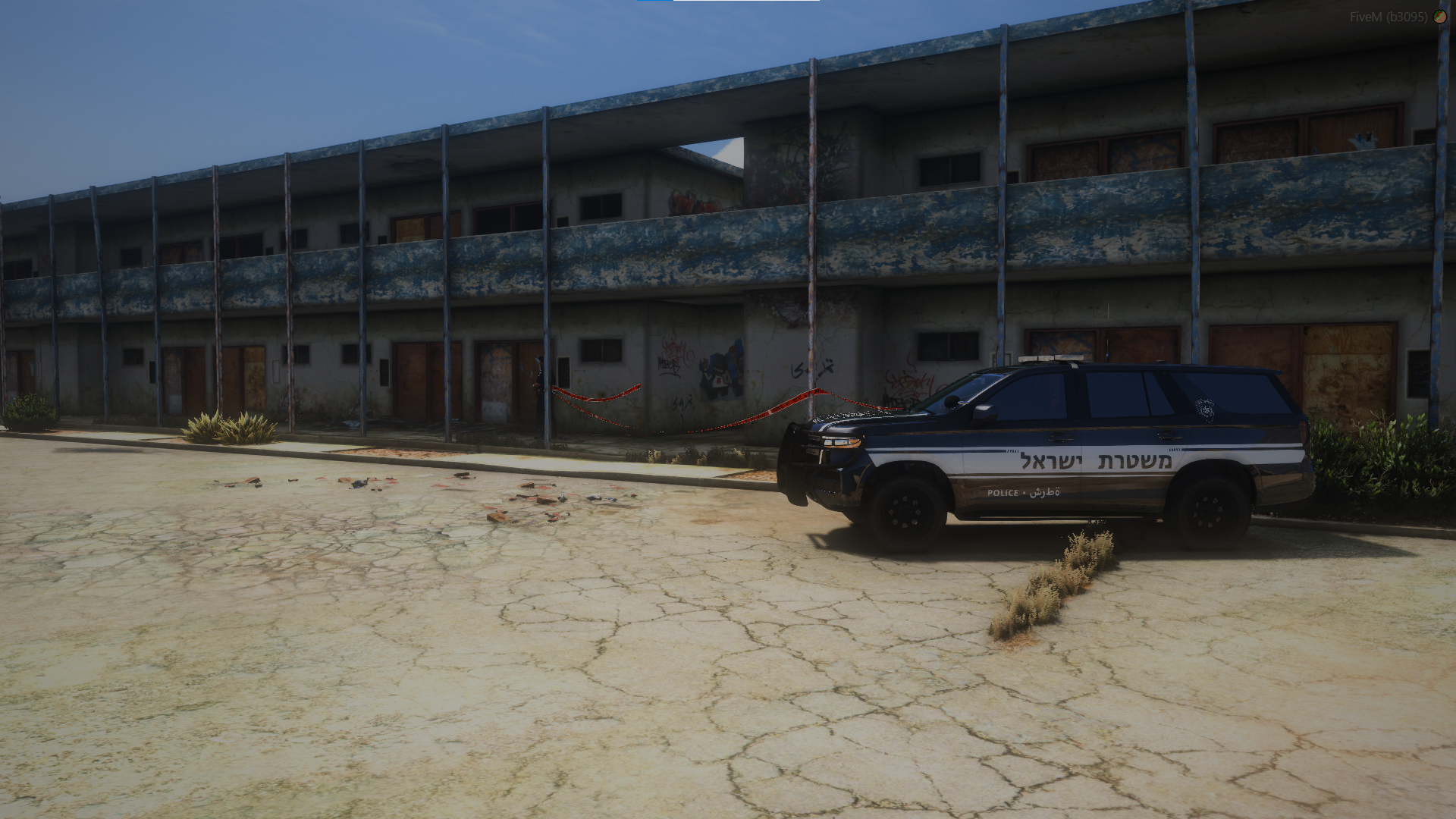
🔹 Advanced Raycast Placement System Place tape on any physical surface in the world — walls, poles, buildings, vehicles, and props. The system uses a camera-based raycast so the tape anchors exactly where you're looking, with no floating or clipping.
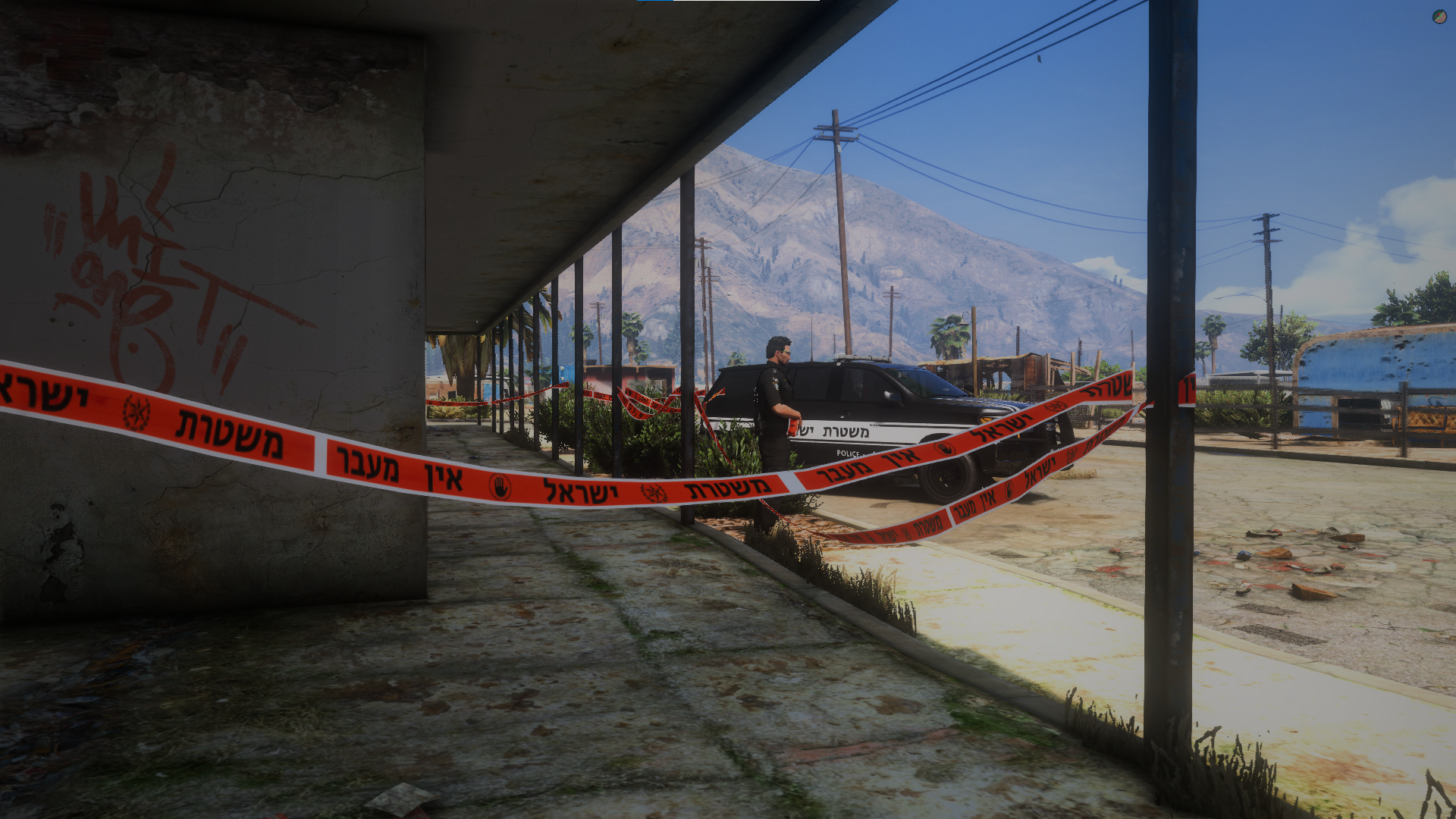
🔹 Two-Point Placement Hold RMB to enter placement mode, press LMB to set Point A, then aim at a second surface and press LMB again. The tape stretches precisely between the two points with correct orientation and tilt.
🔹 Correct Tape Orientation Tape always faces a consistent direction with fully readable text — no flipping, twisting, or mirroring regardless of which direction you place it.
🔹 Height Difference Support Tape automatically tilts along the vertical axis to follow elevation changes between the two anchor points, making it look natural on stairs, ramps, and uneven terrain.
🔹 Wind Animation Effect Tape reacts to wind with a smooth, natural flowing animation. Wind speed is fully adjustable through the config file.
🔹 Custom HTML Menu — No Dependencies A clean, modern in-game UI built entirely from scratch. No NativeUI, no ox_lib, no external menu resource required. Supports both keyboard and mouse navigation.
🔹 Full Tape Management Open the tape menu to highlight, raise, lower, or delete individual tapes at any time.
🔹 Equipment Spawner Spawn road cones and barriers directly from the menu to use as anchor points for your tape lines.
🔹 Highly Configurable Easily adjust the framework, item name, command name, wind speed, equipment list, attachment heights, and translations through a single unlocked config file.
🔹 Full UI Customization All UI files are completely unlocked (Escrow ignored), allowing you to customize styles and translate text to match your server perfectly.
⚙️ Full Compatibility • Standalone System (Supports ESX / QBCore / ESX Legacy / Custom Frameworks) • No external script dependencies
📥 Installation Guide
sol-PoliceTape folder into your resources directory.ensure sol-PoliceTape to your server.cfg.config.lua.tape item to your inventory system if using ESX or QBCore.🎮 How to Use
/tape in Standalone mode)/tapemenu to manage, adjust, or delete your tapes💡 Built for Roleplay Servers sol-PoliceTape is designed specifically for Roleplay environments, giving officers the tools to properly secure crime scenes, block off areas, and create an immersive atmosphere for all players on the server.
🔄 Future Updates This project is actively maintained and will continue receiving updates, improvements, and new features over time. If you have suggestions or feedback, feel free to reach out — we're always looking to improve the experience for the community.
tags: STANDALONE, ESCROW


sol-PoliceTape 🚨
We're excited to present sol-PoliceTape, a professional and immersive police tape placement system designed specifically for FiveM Roleplay servers.
Due to the growing demand for a high-quality police tape script — and the lack of a truly flexible, surface-aware placement system — we decided to build our own solution completely from scratch and release it to the community.
This script was developed entirely by sol. Throughout development, we focused on delivering precise placement mechanics, a smooth user experience, and a clean custom UI with zero external dependencies.
✨ Script Features
🔹 Advanced Raycast Placement System Place tape on any physical surface in the world — walls, poles, buildings, vehicles, and props. The system uses a camera-based raycast so the tape anchors exactly where you're looking, with no floating or clipping.
🔹 Two-Point Placement Hold RMB to enter placement mode, press LMB to set Point A, then aim at a second surface and press LMB again. The tape stretches precisely between the two points with correct orientation and tilt.
🔹 Correct Tape Orientation Tape always faces a consistent direction with fully readable text — no flipping, twisting, or mirroring regardless of which direction you place it.
🔹 Height Difference Support Tape automatically tilts along the vertical axis to follow elevation changes between the two anchor points, making it look natural on stairs, ramps, and uneven terrain.
🔹 Wind Animation Effect Tape reacts to wind with a smooth, natural flowing animation. Wind speed is fully adjustable through the config file.
🔹 Custom HTML Menu — No Dependencies A clean, modern in-game UI built entirely from scratch. No NativeUI, no ox_lib, no external menu resource required. Supports both keyboard and mouse navigation.
🔹 Full Tape Management Open the tape menu to highlight, raise, lower, or delete individual tapes at any time.
🔹 Equipment Spawner Spawn road cones and barriers directly from the menu to use as anchor points for your tape lines.
🔹 Highly Configurable Easily adjust the framework, item name, command name, wind speed, equipment list, attachment heights, and translations through a single unlocked config file.
🔹 Full UI Customization All UI files are completely unlocked (Escrow ignored), allowing you to customize styles and translate text to match your server perfectly.
⚙️ Full Compatibility • Standalone System (Supports ESX / QBCore / ESX Legacy / Custom Frameworks) • No external script dependencies
📥 Installation Guide
sol-PoliceTape folder into your resources directory.ensure sol-PoliceTape to your server.cfg.config.lua.tape item to your inventory system if using ESX or QBCore.🎮 How to Use
/tape in Standalone mode)/tapemenu to manage, adjust, or delete your tapes💡 Built for Roleplay Servers sol-PoliceTape is designed specifically for Roleplay environments, giving officers the tools to properly secure crime scenes, block off areas, and create an immersive atmosphere for all players on the server.
🔄 Future Updates This project is actively maintained and will continue receiving updates, improvements, and new features over time. If you have suggestions or feedback, feel free to reach out — we're always looking to improve the experience for the community.
tags: STANDALONE, ESCROW
You have no favourites yet.
Loading purchases...
No purchases found for this period.